Faculty Trip - 2007

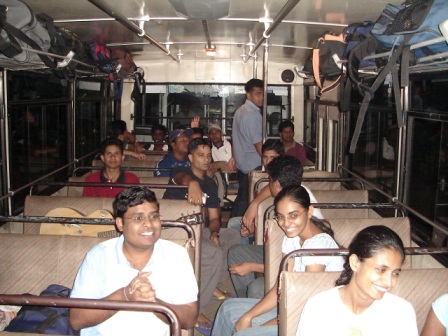
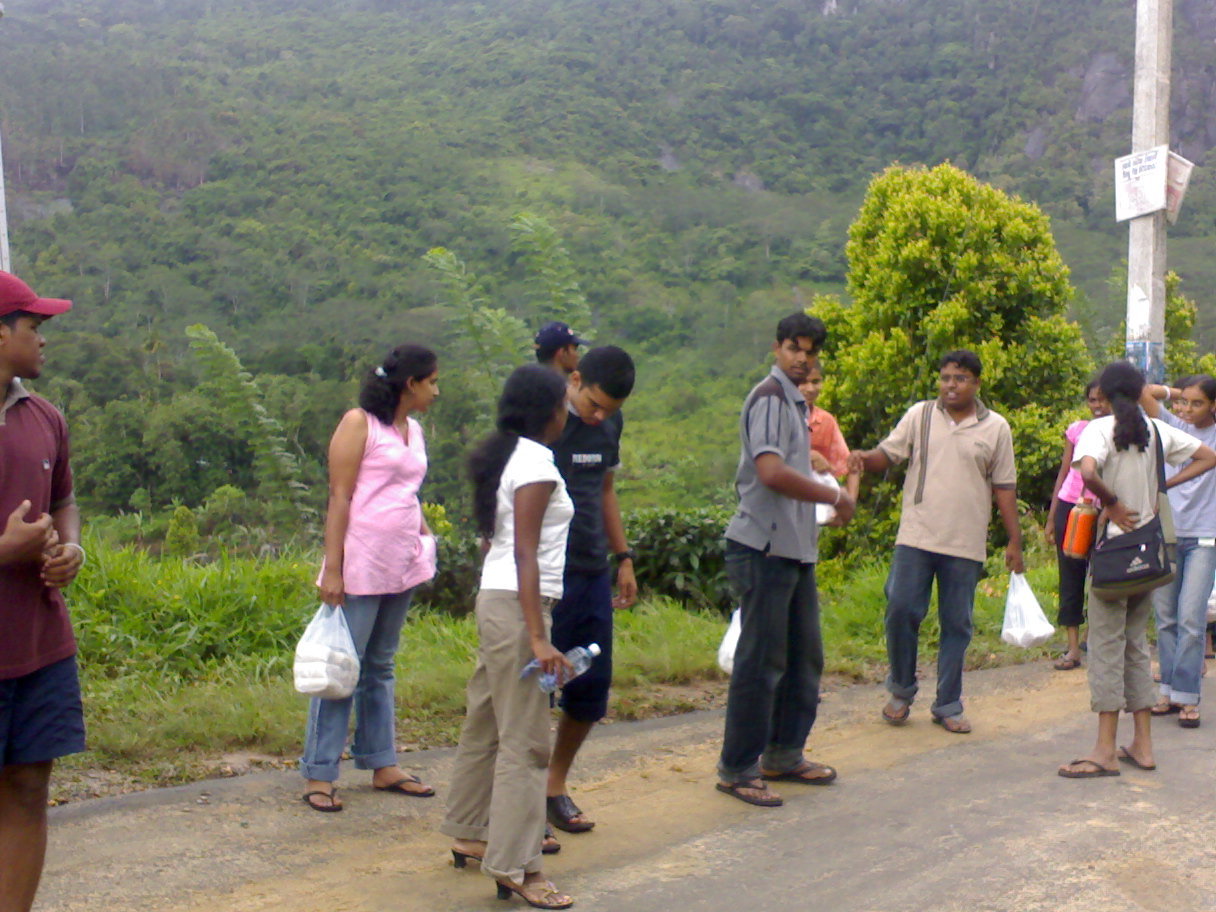
Last weekend I participated for the first faculty trip organized by our faculty in it's short 5 year history. Well it was a historical moment where more than 150 students participated for the trip from 4 batches. 3 university buses were used for the trip. According to the trip plan we were suppose to visit Knuckles mountain range and Wasgamuwa National Park. Nearly 20 students from my batch(Batch4) participated the trip.


But unfortunately because of the heavy rain we couldn’t visit some places that we planned, heavy rain foiled every thing. We were planning to have a mountain hiking at Knuckles and visit tow beautiful waterfalls.
Road to Knuckles mountain park is very difficult. Specially with large university buses. It was very difficult to drive on that road. In one place one of the buses get stuck in a bend.


On that day we were able to visit "Pitawala Pathana", a high plain and "Punchi Lokanthaya", small Worlds End. Both were covered by heavy mist, we couldn’t see more than few feet. So obviously we couldn’t see any thing at "Punchi Lokanthatya".


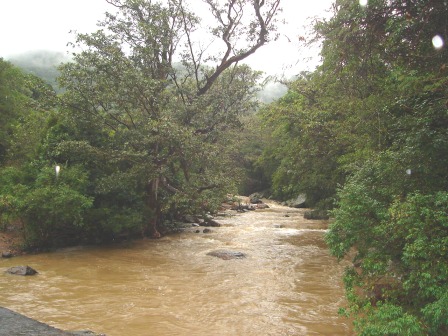
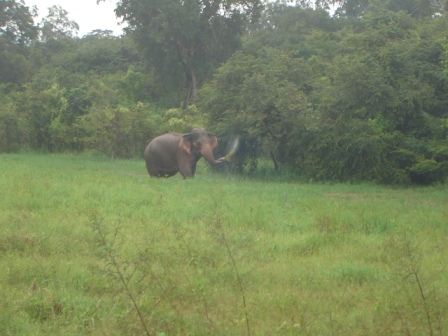
Next day (Saturday), as it was on Friday heavy rain foiled every thing. We have to cancel mountain hiking at Knuckels and we continue our trip to Wasgamuwa national park. We were able see quite a few wild life there. Peacock, verities of cranes, Dears, Foxes, monkeys and an Elephant. Near Mahaweli river we were caught in heavy rain again.


Finally we went to visit "Sorabora Wewa", master peice of anciant Sri Lankan irrigation technology. We spent nearly 1 1/2 hours at "Sorabora Wewa".
Then It was time to go home. Return trip took very long time. So when I came home it was around 4am in the morning.
This trip was not as fun as our Batch trip to Sinharaja. But any way we all had a very good time together. And it was a very good occasion to get away from the office life.

More Photos >>
 

Free Videos from LearnVisualStudio.net


LearnVisualStudio.net is a great site which provides thousands of videos on how to program in .Net. But you have to get subscribed to get access to their full set of videos. But occasionally they release free videos as well. You can get information about these free videos through email by subscribing. These are few free videos I received that way.

1) Designing Relational Database Tables
Why are relational databases the most popular? Differentiate between primary and foreign keys. Design relational database tables and learn about normalization rules and de-normalization.
Download This Free Video

2) Understanding Security and Network Connectivity
Differentiate between database files and SQL Server processes. Explore scenarios for connecting to SQL Server Express databases, enabling and disabling user instances, login permissions, and other security precautions.
Download This Free Video

3) Introduction to Anonymous Delegates
After reviewing How to Create and Use Regular Delegates, this video explains the concept of creating anonymous delegates, when to use them and when not to, and explains the concept of closure for retrieving the state and scope of the anonymous delegate at instantiation for use upon its invocation. (Anonymous delegates are not available in Visual Basic 8.x or earlier.)
Download This Free Video

4) Introduction to Generics
Generics allow you to create flexible data structures that are strongly typed. This video compares the System.Collections.ArrayList class versus its generic replacement, the System.Collections.Generic.List, explaining exactly why generics are the prefered way to add stability to your collections by catching situations where objects of the wrong type are being added to your collections at compile time.
Download This Free Video

5) Understanding Web Application State
In this lesson, you will see how to maintain state in your ASP.NET 2.0 applications.
Not familiar with the term “state” as it’s used in web jargon?
Basically, the web is inherently a stateless environment … each “page” of a web site is independent. The trick is passing along certain information between each individual visit to a web page for a given user.
ASP.NET 2.0 has several different ways to accomplish this. In about 35 minutes we demonstrate and explain the major ASP.NET classes and various techniques you can use to provide your users a rich web-based experience.
Download C# Version
Download VB.NET Version

6) Debugging and Tracing your Website
In this lesson, you will learn how to debug and monitor your ASP.NET 2.0 Web applications.
Fortunately, Microsoft has made it easy to step through each line of code to observe how it's executing to ferret out difficult-to-find bugs. Skills you've developed in writing Windows applications will definitely help, but there are some more tricks and tips that you can use with live applications (i.e., web applications that you've already deployed).
We'll show you almost everything you'll need to know about debugging and monitoring the execution of your app in less than 30 minutes!
Download C# Version
Download VB.NET Version


7) How to use the BackgroundWorker Control
This video comes from the Windows Forms Controls 2005 Series. This video demonstrates how to use the new BackgroundWorker Control to easily create a multi-threaded application. (Works with all versions of Visual Studio 2005, including the Express Editions)
Download C# Version
Download VB.NET Version

8) Securing your ASP.NET 2.0 Web Site with Membership and Login Controls
Your next free tutorial comes from our "Getting Started with Visual Web Developer 2005 Express Edition" series. In this video you discover the new membership capabilities of ASP.NET 2.0. In addition, you will learn about role-based security, and how you can use roles to control access to your web site.
Download C# Version
Download VB.NET Version


Salute to the heroes….

Few days back I received this email from one of my friends….
I thought to put it in my blog in respect to all the heroes of Army, Navy, Air Force and Police who sacrifices their lives to build us a peaceful Sri Lanka…

Take a minute to think on this please...

Your alarm goes off, you hit the snooze and sleep for another 10 minutes.
He stays up for days on end.

You take a warm shower to help you wake up.
He goes days or weeks without running water.

You complain of a "headache", and call in sick.
He gets shot at as others are hit, and keeps moving forward.

You put on your anti war/don't support the troops shirt, and go meet up with your friends.
He still fights for your right to wear that shirt.

You make sure you're cell phone is in your pocket.
He clutches the cross hanging on his chain next to his dog-tags.

You talk trash about your "buddies" that aren't with you.
He knows he may not see some of his buddies again.

You walk down the beach, staring at all the pretty girls.
He walks the streets, searching for insurgents and terrorists.

You complain about how hot it is.
He wears his heavy gear, not daring to take off his helmet to wipe his brow.

You go out to lunch, and complain because the restaurant got your order wrong.
He doesn't get to eat today.

Your wife/mother/maid makes your bed and washes your clothes.
He wears the same things for weeks, but makes sure his weapons are clean.

You go to the mall and get your hair redone.
He doesn't have time to brush his teeth today.

You're angry because your class ran 5 minutes over.
He's told he will be held over an extra 2 months.

You call your girlfriend and set a date for tonight.
He waits for the mail to see if there is a letter from home.

You hug and kiss your girlfriend, like you do everyday.
He holds his letter close and smells his love's perfume.

You roll your eyes as a baby cries.
He gets a letter with pictures of his new child, and wonders if they'll ever meet

You criticize your government, and say that war never solves anything...
He sees the innocent tortured and killed by terrorists and remembers why he is fighting.

You hear the jokes about the war, and make fun of men like him.
He hears the gunfire, bombs and screams of the wounded - and of the innocents who have no one to stand up for them.

You see only what the media wants you to see.
He sees the broken bodies lying around him.

You are asked to go to the store by your parents. ... And You don't.
He does exactly what he is told.

You stay at home and watch TV.
He takes whatever time he is given to call, write home, sleep, and eat.

You crawl into your soft bed, with down pillows, and get comfortable.
He crawls under a tank for shade and a 5 minute nap, only to be awakened by gunfire.

You sit here and judge him, saying the world is probably a worse place because of men like him.
If only there were more men like him!

WHO is HE?

If you support him , then please send this to everyone you know...
Perhaps people will change their attitude and behavior to support HIS worthy cause...
HE is sacrificing his today for our future Sri Lanka!!!


In dedication of the true Valiant Sri Lankan Men and Women in the Army, Air Force, Navy and Police!

Sri Lanka ArmySri Lanka NavySri Lanka Air forceSri Lanka Police


How To Make Your Brain Active


Have you ever walked into a room and wondered why you are there? Have you ever faced someone you've known for years and couldn't remember his/her name? I don't know about you, but these things do happen to me sometimes.

Today while I was surfing the Internet I came across a very good article about how to keep our brain alive and active.
The article I read points out few things that we have to do in order to healthy brain;

  • Run Up Your Brain Cells
  • Exercise Your Mind
  • Ask Why
  • Laugh
  • Be A Fish Head
  • Remember
  • Cut The Fat
  • Do A Puzzle
  • The Mozart Effect
  • Improve Your Skill At Things You Already Do
  • Be A Thinker, Not A Drinker
  • Play
  • Sleep On It
  • Concentration
  • Make Love For Your Brain
  • Play With Passion!
  • Cycles Of Consciousness
  • Learn Something New
  • Write To Be Read
  • Try Aroma Therapy To Activate Your Brain
  • Drugs To Increase Brainpower
  • Build A Brain Trust.
You have probably heard that we use only a fraction of our brain's capacity. By practicing at least few of those methods we may be able to increase the percentage we are using.
Read the complete article 22 Ways To Overclock Your Brain...
 

Creating Goolge Toolbar Custom Buttons

With new Google tool bar you can easily create custom buttons. Creating buttons is very easy, you just have to create a

simple XML file. Most common use of the custom button is to view the RSS feeds of a site. Here is how to do it;

  • Create an XML file called yourname.xml
  • In that file use the following template
<?xml version="1.0" encoding="utf-8"?>
<custombuttons xmlns="http://toolbar.google.com/custombuttons/">
<button>
<title>Name of Button</title>
<description>
What that button does or what the site is about.
</description>
<site>URL of tool or homepage </site>
<feed refresh-interval="900" refresh-onclick="true">feed location</feed>
<icon mode="base64" type="image/x-icon">base 64 version of your icon - not needed but it looks nice to use.
</icon>
</button>
</custombuttons>
The feed refresh # is in seconds, and the refresh onclick ensures you have the most recent version of that feed when you click it.
you can also have a icon in you custom button. To add an icon you have to have it on base64 mode.
Find small 16x16 icon.
You can find thousands of small png, jpeg pictures from famfamfam.com
Convert selected png,jpeg file into *.ico using this site.
Convert your *.ico file in to base64 form using this online tool.
Copy and paste the base64 text for the icon within <icon> </icon> tag.

That's it... Now you have the XML file for the custom button. Next you have to install it to the tool bar. To do that replace the file path of the following URL with the actual path where you have saved the file, and copy and paste it in FF address bar and hit enter.
http://toolbar.google.com/buttons/add?url=file:///<File Path>
eg: http://toolbar.google.com/buttons/add?url=file:///D:\Temp\Custom Buttons\SandarenuBlog.xml


After installing the button you will be able to see it in the tool bar.

I've created a simple button to get RSS feed of my blog. Using it you can see the updates of my blog in a single click. You can try it here.

See Google Custom button API for more details.
 

What does your e-mail say about you?


Everyday we send number of emails to our friends, colleagues, lectures, etc.... Little details that we left out or inadvertently included can suggest that we are lazy, incompetent, inattentive, mistrustful, or unprofessional. Today, while I'm surfing the net I came across an interesting article by Paul Glen which gives some important points that we have to consider when sending a email. Those are;

  1. Spelling.
  2. Grammar.
  3. Signature Block.
  4. Subject Line.
  5. Format.
  6. Length.
  7. Urgent Indicator.
  8. Bandwidth Usage.
  9. Delivery Receipt.
Read the complete article.
So before clicking the Send button there are lots of things to be checked.
 

Microsoft's 'Enchanted Office' Comic


Microsoft has created a comic story to teach the users the importance of Office 2007. It tries to convince the user the importance of Ribbons in the new Office interface and how it can improve the productivity in the office. It is titles as "The Enchanted Office: Once Upon a User Interface," and goes around the character of Madeline a CEO of a company.


To view the comic click here.
 

Sri Lankan Holidays Google Calendar

I previously posted about how to add Sri Lankan holiday list to MS Outlook. After that I though how wonderful would it be if I can add those holidays to my Google calendar.
So I did exactly that. Itwas not that difficult. I exported my Outlook holiday calendar to iCal file and import it from Google calendar. I made my holiday calendar public so you also can add it to you google calendar.

Click on the button to add the Holiday Calendar to your google calendar.
 

Add Sri Lankan holidays to your Outlook calendar

This is a simple method that enables you to add Sri Lankan holiday list to MS Outlook holidays. I first saw this at Meril’s blog. It only had information to add the holiday list to Outlook. But it is possible to add the same list multiple time creating duplicates. (It personally happened to me) After Googling, managed to find a method to remove those duplicates. I’m including that in this post as well.

– – – – – – – – – Start Copy – – – – – – – – –

[Sri Lanka] 26
Duruthu Full Moon Poya Day(BPM),2007/1/3
Tamil Thai Pongal Day(BPM),2007/1/15
Navam Full Moon Poya Day(BPM),2007/2/1
National Day(BPM),2007/2/4
Mahasivarathri Day(BP),2007/2/16
Medin Full Moon Poya Day(BPM),2007/3/3
Milad-Un-Nabi (Holy Prophet’s Birthday)(BPM),2007/4/1
Bak Full Moon Poya Day(BPM),2007/4/2
Good Friday(BP),2007/4/6
Day Prior to Sinhala & Tamil New Year Day(BPM),2007/4/13
Sinhala & Tamil New Year Day(BPM),2007/4/14
May Day(BPM),2007/5/1
Vesak Full Moon Poya Day(BPM),2007/5/1
Day following Vesak Full Moon Poya Day(BPM),2007/5/2
Adhi Poson Full Moon Poya Day(BPM),2007/5/31
Poson Full Moon Poya Day(BPM),2007/6/30
Esala Full Moon Poya Day(BPM),2007/7/29
Nikini Full Moon Poya Day(BPM),2007/8/28
Binara Full Moon Poya Day(BPM),2007/9/26
Id-Ul-Fitr (Ramazan Festival Day)(BP),2007/10/13
Vap Full Moon Poya Day(BPM),2007/10/25
Deepavali Festival Day(BP),2007/11/8
Il Full Moon Poya Day(BPM),2007/11/24
Id-Ul-Alha (Hadji Festival Day)(BP),2007/12/21
Unduvap Full Moon Poya Day(BPM),2007/12/23
Christmas Day(BPM),2007/12/25

– – – – – – End Copy – – – – – – –

Update the current holiday file

  • Exit Outlook if it is running.
  • In Microsoft Windows Explorer, locate the following file:
    C:\Program Files\Microsoft Office\Office11\1033\Outlook.hol
  • Open the file using notepad.
  • Add the contents of the above text (between Start Copy and End Copy) at the end of the Outlook.hol and save it.

Updating the Outlook calendar with customized events

  • Start Outlook.
  • On the Tools menu, click Options.
  • On the Preferences tab, under Calendar, click Calendar Options.
  • In the Calendar Options dialog box, under Calendar options, click Add Holidays.
  • Select the check box for your customized set of events and holidays, and then click OK. For this example, select the box labeled Sri Lanka.

Note It's possible that a set of holidays or events observed in your country/region has already been selected in the Add Holidays to Calendar dialog box. If you try to add the same country/region again, you see the message, "Holidays for country are already installed. Do you want to install them again?"
Click No. If you click Yes, the holidays and events are installed a second time, and you will see duplicate holiday and event entries in your calendar.

In case if you accidentally clicked Yes here is how to remove duplicate holidays.

  • Choose View | Arrange By | Current View | Events
  • Right-click any column heading, then choose Field Chooser.
  • In the Field Chooser, switch from the Frequently-used fields list to Date/Time fields, and then drag the Created date to the view to add it to the fields displayed.
  • Click on the Created column header to sort by that field.
  • You should now see two distinct sets of holidays, each in reverse chronological order. Click on the first holiday of the set you want to delete.
  • Use the scroll bar to view the last holiday of that set. Hold down the Shift key as you click on the last holiday. This selects all the holidays in that set.
  • Press Delete to remove them all from the Calendar folder.
  • Drag the Created column header out of the view to remove it.


Happy New Year

I wish you all very happy New Year 2007.
May all your wishes come true.
 

Gmail Mail Fetcher

Did you check out the new feature in Gmail that enable us to fetch mails from up to 5 different pop3 servers. You will find the mail fetcher in Settings / Accounts. With 3 easy steps you can view mails from your other mail accounts using Gmail itself. I just added my other mail accounts to gmail. This is really cool... Now I can use Gmail as universal mail account where I can access all my mail accounts form one place. It's really fast as well. But I read that this feature is not yet available for all the gmail accounts. Don't be late, check out your Gmail settings now...


Wow… It has been a wonderful year

With another year is coming to an end, I thought to do a brief recap of this year’s activities.

Wow… It has been a wonderful year for me. So far 2006 has been one of the best years in my life. I gained tons of experiences and knowledge this year that will help me to gain success through out my life.

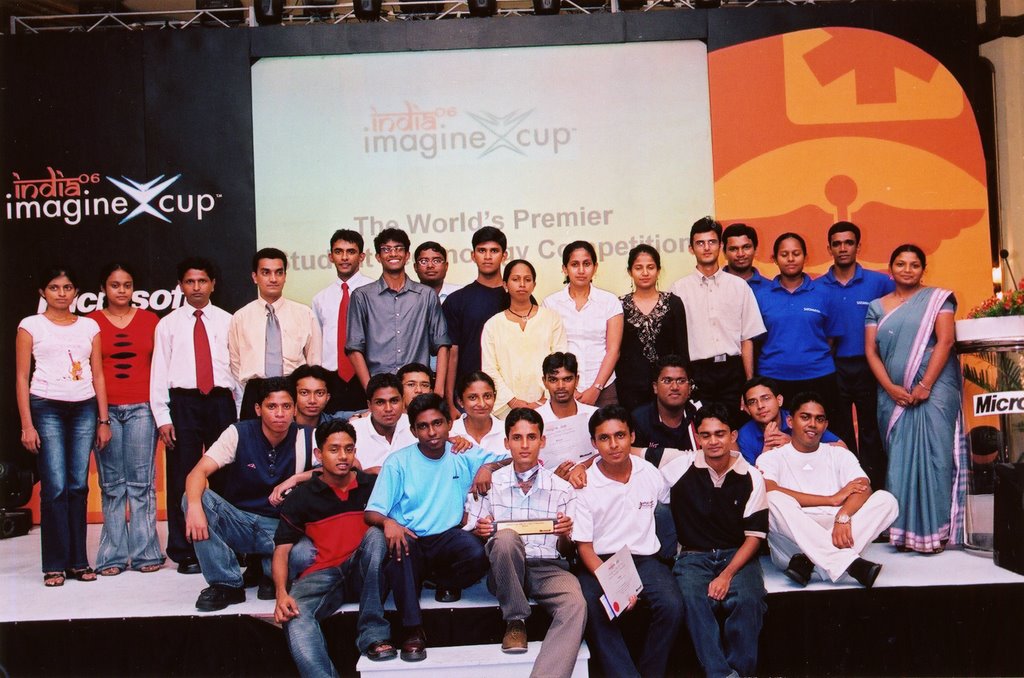
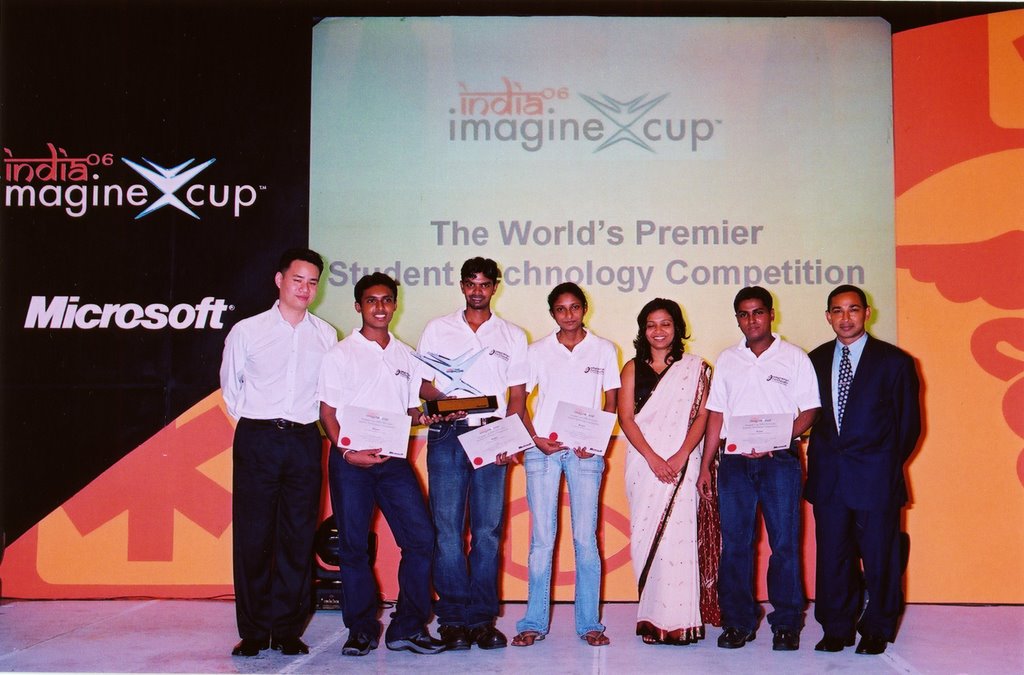
I started blogging on March with a very small welcome note . And also March was a great month since our proposal for the Imagine Cup 2006 Software Design local competition was selected for last five. So begin the hard working time. But all that hard work and countless sleepless nights finally paid off when we won the IC local competition on May 31st. It was one of the happiest days in my life. I had to do a 10 min presentation about our system in front of nearly 300 people. My first presentation of that kind. Participating and wining Imagine Cup was the greatest thing happened to me in last year.

In June I participated for our 2nd batch trip. Two day trip to Sinharaja world heritage rain forest. Most remembered thing in that trip was that I slipped off form a rock, when we went to see a beautiful waterfall on the way to Siharaja and wounded my right small finger. I still have a mark in my finger to remember that wonderful trip.

July and August was very busy months. I had to participate for lectures and parallely prepare for IC world final in Agra India. And also had cover lot of subject matters that I missed during the preparation for the IC local competition. So I couldn’t post a single blog entry during that time. To make the things worse we had 5th year anniversary at FIT . We had number of events to celebrate our 5th year anniversary including multi religious ceremony, an IT exhibition and a cricket tournament. We exhibit our IC winning project Panchayudha at the exhibition. It was a huge success with lots of good comments from the public.

We fly to India on August 5th to participate for Imagine Cup world finals. It was another great thing happened to me this year. Even though we couldn’t make it to the 2nd round it was a great experience to interact with all those great young guys and girls from all over the world. During that short week I managed to learn a lot and got the chance to visit great Indian historical sites like Taj Mahal, Agra Fort and managed to get a glimpse of the Indian life style and people.

Fun ended soon after we landed in Colombo…. I had to prepare for the Level3 Semester1 exam which was going to start on just 3 days. It was a very very busy time period. It was not easy to study six subjects in just a few days (Big lesson I learned). But given the circumstances I think I have done the exam well, even though this was the worse exam for me up to this date.

New chapter of my life opened up soon after the exams, Internship period at Navantis SL. This was a long waited thing for me. I always wanted to see what exactly happens in the industry. I’m still at Navantis undergoing my training. It was bit difficult at the beginning to catch up with the work, but after few days I got into the track. Life remained same ever since. Going to office in the morning and coming home in the evening. I understood that working is quite different from the university life some times it’s very boring, doing same thing over and over again.

After months of delays and tons of problems we started the implementation of the Financial Planning System for Mr.Pattrick . Our very short experience in internship helps a lot for it. With it more work come to my shoulders. After I come home around 8pm I had to start working on Pattrick project, I usually do that work from 9.30 to 11.30. It’s not easy, but what to do… If you promise for some thing you have to do it. And all weekend were spent on project meetings and implementation.

Few weeks back I did my first technical session for our super joiner batch on Introduction to .Net and Programming with C#. I was a wonderful experience to share knowledge with others.

When I look back my year’s activities I think this was a successful year for me with lots of excitements and achievement. I really think that I’ve laid a good foundation to my future in this year. Lot of lessons learned, experiences gained… And I thank every body who help me to spend a wonderful year. I’m looking forward to welcome year 2007. Hope it also will be a year of success…


Navantis Orange Day!


We Navantis team in colombo today enjoyed a "Orange day". It was just a fun event where all the people come to work wearing orange color dresses. It was wonderful sell most of the guys and gals wearing orange today. Most of the girls had wear orange dresses but unfortunately only handful guys came to work in orange. This was the first of it's kind at Navantis. So It was a big success for the first try. May be in next time we'll see more orange dresses; hopefully.


More photos...
 

Manage Your Time

Time management is one of those skills no one teaches you in school but you have to learn. It doesn’t matter how smart you are if you can’t organize information well enough to take it in. And it doesn’t matter how skilled you are if procrastination keeps you from getting your work done.
Penelope Trunk, a columnist at the Boston Globe, summarizes some great tips that coming from the blogosphere. She lists ten important tips to get a better handle for your work and focus to achieve productivity:
  • Don’t leave email sitting in your in box.
  • Admit multitasking is bad.
  • Do the most important thing first.
  • Check your email on a schedule.
  • Keep web site addresses organized.
  • Know when you work best.
  • Think about keystrokes.
  • Make it easy to get started.
  • Organize your to-do list every day.
  • Dare to be slow.


Read 10 tips for time management in a multitasking world for more details...


New Google Toolbar Beta

Beta version of the new Google tool bar 3 has been released yesterday. The new version of Google Toolbar for Firefox adds the features that were available only in the IE toolbar and a special bonus.

The latest version of Google Toolbar makes it easy to send snippets from web pages by email, SMS. It's also easy to have a blog without actually writing too much original content.


you can download and install the new beta version from here.
 

Ooh No Exam Results are out...

Our Level 3 Semster1 Exam result have been released yesterday. I got mixed results this time. They rage from A+ to C. Ok, I have to admit that L3S1 exam was the worst exam I had in my undergraduate life.
Main reason for the poor performance in the exam is ..... I didn't study well in this semester. Yes I have to admit it. But it also had fair reasons. I had devoted lot time to prepare for the Imagine Cup Local competition and then for the world finals. The time I devoted was well worthed since we won the IC Sri Lanka local competition beating more than 40 teams.
Exam started on 15th Aug and we had to participate for the IC world final in India from 5th to 12th Aug. So didn't had any time to study.... Given the circumstances I think I have done well. (But now I fell that I could have done the exam little bit better...) .
I have learn lot of things in that semester. I'm hoping to do next exam (L3S2) much much better....
 

New Layer in Google Earth

Google have introduced a new Geographic Web layer to Goolge Earth. Now you can see content from;

while you using GE.


The places described in those site will be shown in small wikipedia globe or blue Panoramio star or Google Earth Community yellow i icon. Simply by clicking on that icon you can view that content.


Cool...
 

Keystroke program launcher for windows...

This is the new member of my Must have program list. I just found it today when I was reading in the lifehack website. When I read about the inbuilt search facility in the windows startmenu in vista I loved it. But since I didn't got vista installed I never got the chance to fell it. Launchy is something smiler to it. Just pres Alt+Spase and type few words and Enter.... That's it. You don't have to search through the start menu to find a program. You can even use this to go to files and folders...
Other wonderful thing with Launcy is it is Open source and comes up with multiple skins. If you wish you can create your own skin as well.
Sounds interesting.... Try it and see for your self.
You can also directly download Launchy form Sourceforge.


Navantis 2nd B'day Celebrations

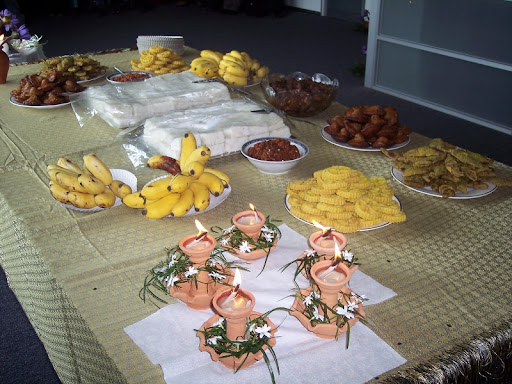
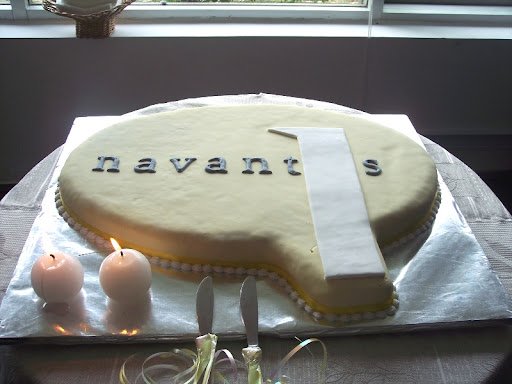
Yesterday Navantis SL where I do my internship, celebrated it's second birthday. Navantis has been started only with 9 employees and now it has more than 80 employees. B'day was celebrated in traditional Sri Lankan way with Kevum and Kiribath. There was a nice B'day cake as well. Indaka the CEO of Navantis SL thanks every one for supporting Navantis to grow like this.


Happy B'day Navantis SL....

For more photos visit my Picasa Web Album.
 

Embedding Slideshow for Picasa Web Albums to my blog

I alway wanted to put a slide show of my Picasa web album photos in my blog. Now I found a way to archive it. It is a Java script created by phydeaux3. I fond the news while I'm reading the blog Googel Operating Systems. Java script is quite customizable and It's very cool. You can add it to blogger as a HTML widget. (You have to use Blogger beta for this.). Try it and enjoy.....
 

MS Weekend for Beginners


Microsoft student champs at our faculty had organized an introductory session on Microsoft .Net framework last Saturday(25th Nov). I conducted 2 sessions there, "Introduction to .Net Framework" and "Introduction to Windows Application Development with C#".
It was organized for the Level1 Semester1 students. Nearly 50 students participated for that event. Wajira (MS Student Ambassador) also conducted a session on "Introduction to ASP Web Development ". This was the first public technical session conducted by me. It was a wonderful experience to share what I know with other.
Some wonderful prices also given away to the students at that event. Those included CD pack containing Visual Studio 2005 Standard Edition and SQL Server 2005, 5 button optical mouse and few technical magazines...
You can download the presentation I did on "Introduction to .Net Framework" here.


Portable applications


Have you ever wanted to carry you Firefox browser with you with all your carefully organized bookmarks? Now you can do that with PortableApps...
You can carry your FF with all bookmarks , your calendar with all appointment and the list goes on and on. This is a free software suite that you can run from you flash drive. Currenly it support more than 10 applications, including Firefox, Sunbird, Oprenoffice, Thunderbird......
You can try this PortableApps site.


My Piccasa Photo Album..

I Created a photo album in Piccasa. It's really cool. Once created, I can even attach it to my blog. You can see it in the right hand side of my blog. So it is easy to share my memorable moments with all of you. I've not uploaded many photos to Piccasa yet... I'll soon upload more photos.............
 

Firefox Keyboard Shortcuts


Are you a Firefox lover? Like to use FF without using the mouse. Most of the power users hate mouse, they want to use keyboard for every thing. I've to admit that I'm not a power user. But knowing few shortcuts can save lot of your time. These are few shortcut that you can use in FF.

To use the keyboard shortcuts hold down CTRL and press one of the following:

TOpens a new tab and takes the focus to the new tab
OOpen Local File. This is one of the biggest changes from IE where both Ctrl-O and Ctrl-L opened a dialogue box for a URL.
LChanges focus to the Address bar
TabScrolls through the tabs from current window towards the right. Loops back to the first tab when rightmost tab is reached
1..0The numbers 1 to 0 takes the focus to Tab 1 to 10
NOpens a new window like IE
Wa tab or if there are no tabs, close the window
BOpen bookmark sidepanel
DBookmark current page
HBrings up the history dialogue box on the right. Useful if you closed a page accidentally and forgot the URL. Or to make sure your kids are not looking at pr0n
UShow page source
YOpen downloads window
KFocus goes to search bar

RRefresh current page
FFind in page
GFind Again (used in conjunction with Ctrl F)
JPage Info (same as properties in IE)
-Decrease font size
+Increase font size
SSave current page to disk
PPrint current page
ASelect All
 

Ms. Dewey..........


This is cool site... It gives you a verbal answers on your searches. It is powers by Microsoft Live search. Ms. Dewey's actions are very cool... Would like to meet Ms. Dewey?
 

Gmail as a Storage devise....

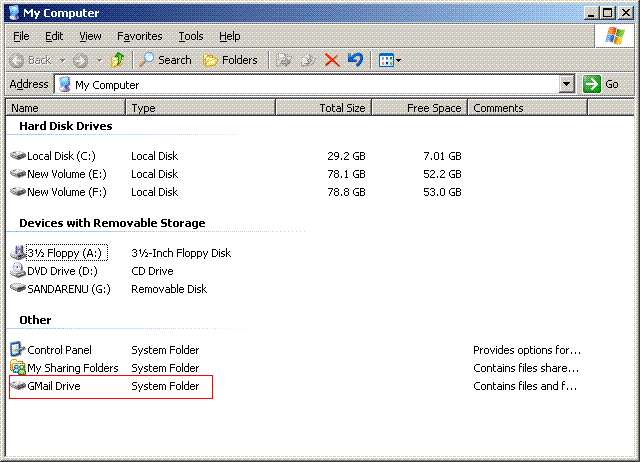
Hey would you like to use the more 2GB storage in your gmail account as hard drive from your PC....


Then Gmail Drive is what you are looking for. This is a cool solution I found while I'm surfing the net.
It creates a Shell Namespace Extension that creates a virtual filesystem around your Gmail account, allowing you to use Gmail as a storage medium.
Sounds interesting.... Then check this out.. GMail Drive shell extension
You can also directly download the software from softpedia

Enjoy your new 2.7GB virtual HD.....
 

What's Your Salary?

What's Your Salary? @ JAVA DEVELOPER'S JOURNAL

This is very good artical I found in the net.
 

My First Salary

Today I received my first ever SALARY. Since I'm working as an intern at Navantis Sri Lanka it is not a big amount. But still it is the first one. At Navantis I'm working as ASP web developer. These days I'm stuck with work. Any way I'm planning to use this money to buy a new Hard Disk for my PC. Currently I'm only having 40Gb which is obviously not enough.
 
This is a test to see the Blog posting through Writely.


After Long Time......

Hi all,

I could not post any thing in the blog for long time. We had our semester exams in the university and I went to India to participate Microsoft Imagine Cup world finals and lot lot more work........ So I didn't had time to update my blog.
Now All that is finished and I've little bit time to update my blog.
 

Trip to Sinharaja


We went on a trip to Siharaja forest last Tuesday(21st). It was a two day trip. 34 freinds participated for the trip. We left the university in the Tuesday morning around 6.30 a.m.
It was a day to remember.
 

More Photos from the Imagine Cup Sri Lanka Competition


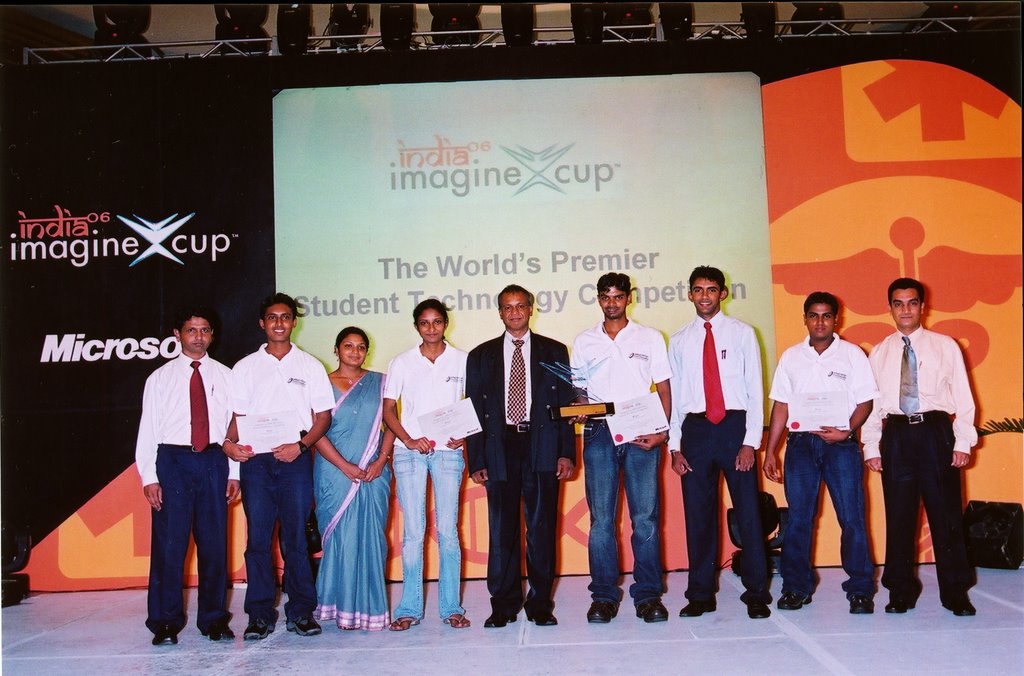
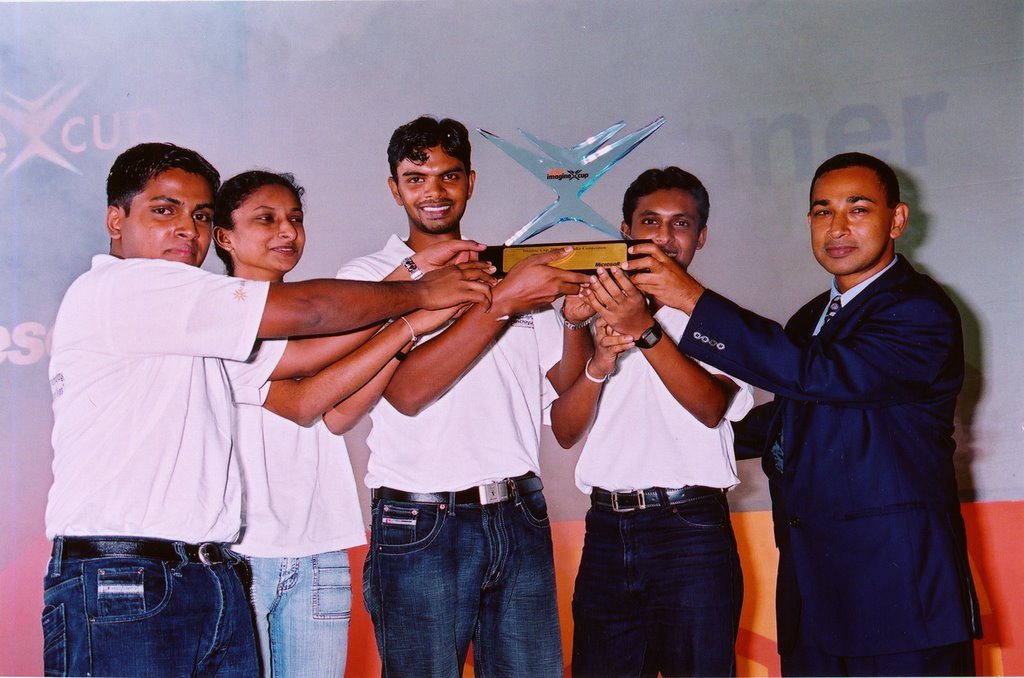
We Won the Imagine Cup


Yesterday 31st May 2006 we won the Imagine cop Sri Lanka compettion. There was a big compettion among all 5 groups selected for the finals, but we finaly manage to win the cup.